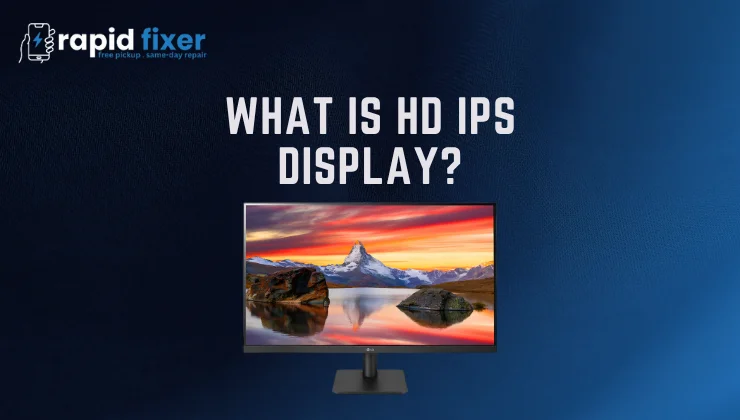
When purchasing a new smartphone, laptop, or a monitor, you have likely seen the phrase HD IPS display included in the list of features. It is rather technical but its knowledge will assist you to make better decisions.
What is HD IPS display and why does it matter? The solution has two components, HD (High Definition) and IPS (In-Plane Switching). They do this collectively as they explain how clear your screen is and how good the colors are.
We are going to take a closer look at what an HD IPS screen is special, how it functions and whether it is the correct choice to go on your device or not.
Table of Contents
Understanding the Basics of Display Technology
What Does HD Mean?
HD IPS display is also known as HD, which can be interpreted as High Definition, which is the resolution of the screen or the number of pixels. A stronger resolution is better and more detailed images.
HD resolution is generally 1280×720 pixels, but low-end laptops and TVs have 1366×768 pixels. In comparison, full HD (1080p) is a 1920 x 1080 pixel, QHD (2K) is a 2560 x 1440 pixel and 4K (UHD) is 3840 x 2160 pixel.
This is the pixel density which defines the sharpness of your screen. Small screen devices such as phones or small laptops require an HD display since it has excellent visibility without consuming too much power.
What Is IPS Display Technology?
IPS display technology is an abbreviation of In-Plane Switching, which is an innovation in LCD panel that enhances the accuracy of color and the viewfield.
Traditional TN panels (Twisted Nematic) are twisted vertically to make color and brightness distortions when seen at the side. On the contrary, the liquid crystals in IPS panels are oriented horizontally to enable light to pass through evenly.
The design offers two important benefits; steadiness of brightness and good reproduction of color, even at different angles.
This is why the devices that are called HD IPS displays provide not only clear images, but also natural colors.
How an HD IPS Display Works
HD IPS display uses a combination of LCD technology, back light, polarizing filters and color layers to produce bright images. The backlight is white, and, when the screen is turned on, the light goes through a number of layers.
Liquid crystals within the IPS panel move in-plane and regulate the quantity of light passing through the RGB color filters. The filters are the combination of red, green, and blue light to create a pixel.
Since the crystals are moving in parallel to the screen, the image is bright and color-true at almost every angle. It is what makes an IPS screen with its trademark wide-angle sharpness and stability.
Benefits of Using an HD IPS Display
Wide Viewing Angles
The wide viewing angle is one of the best features of an IPS display. The colors and the brightness of the screen are the same whether you are watching a movie sideways or you are sharing a laptop with someone, up to almost 178 degrees.
This uniformity makes HD IPS screens ideal in the case of teamwork, presentation, or entertainment.
Natural and Accurate Colors
The IPS technology is characterized by precise and stable color reproduction. It is particularly helpful in editing photos, video streaming, and design, when the natural color hues are important.
HD IPS screen guarantees that reds, greens and blues are colorful yet real-life and offers you a comfortable and visually abundant experience.
Eye Comfort and Stability
IPS panels ensure equal brightness and color balance thus reducing eye stress when using them over extended periods. Reading, working on documents or studying; an IPS display is more relaxed and easier on the eye compared to the older types of screens.
Long-Term Reliability
IPS screens are also more stable and durable than OLED displays which can experience burn-in over time. With the help of proper care, an HD IPS monitor or laptop display can last years.
Balanced Performance and Price
An HD IPS screen is a perfect compromise between quality and cost. You receive high-quality images and sharp resolution without having to spend a high price. That is why it is popular in mid-range devices such as laptops, tablets, and smartphones.
Limitations of HD IPS Displays
Lower Contrast in Dark Scenes
IPS panels have a lower contrast than VA or OLED ones. Black levels are grayish as IPS technology uses constant backlight.
The Issue of IPS Glow
When dark images are being observed in low light, a small light can be seen around the edges of an IPS display. This phenomenon is called IPS glow and is natural, but may have different levels of intensity depending on the model.
Slower Response Time
Although IPS panels have also become far better, the response times of the pixels can be worse compared to the TN ones. This can introduce minor motion blur in fast-paced gaming. Newer high-refresh IPS displays reduce this problem though.
Slightly Higher Power Consumption
IPS screens offer a little bit more power consumption compared to TN or VA due to their backlighting and horizontal crystal arrangement. On mobile devices, this can lead to slightly reduced battery life.
Limited Resolution Sharpness
An HD IPS display can be viewed as sharp on small screens but not as specific on the larger ones since HD means 720p. Full HD IPS or QHD IPS displays deliver sharper visuals in monitors or larger laptops.
Comparing HD IPS With Other Display Types
HD IPS vs TN
TN displays are inexpensive and quicker, yet they have bad color and small viewing angles. IPS panels, in their turn, give significantly more detailed imagery and even light throughout.
When using it as a general tool, or to watch content, or work professionally, HD IPS is the better choice.
HD IPS vs VA
VA panels have darker blacks and more contrast, but fail to match the color consistency of IPS displays. HD IPS displays have more accurate tones and color transitions and are a more generalized option.
HD IPS vs OLED or AMOLED
Light per pixel is created by OLED and AMOLED screens, resulting in perfect blacks and high contrast. They however may experience burn-in and it is usually more costly.
IPS display technology is less costly, more long-lasting and more accurate in color than time, thus its usage is more common in various devices.
Where HD IPS Displays Excel
Smartphones and Tablets
The majority of mid-range smart phones are equipped with HD IPS displays due to their moderate picture quality and power consumption. Users experience bright colors, expansive angles, and sharp images without consuming the battery.
Laptops and Monitors
Most affordable laptops and monitors have displays with HD IPS, which are perfect among students, professionals, and daily users. The vast color palette and the comfortable brightness enhance productiveness and leisure.
Smart TVs and Portable Consoles
In entry-level TVs and gaming monitor systems, HD IPS panels are common with the one providing good visual clarity and great color reproduction in a casual viewing or in a portable gaming environment.
Choosing the Right HD IPS Display
Some display specifications that influence performance are to be considered when purchasing a device.
Check the resolution – HD is fine with smaller screens, although with anything more than 14 inches, Full HD IPS would be preferable. Increase brightness of 250 to 400 nits to enhance outdoor visibility.
Examine the contrast ratio on deeper blacks, and the color gamut coverage on fuller hues. Stronger respond times and higher than 60Hz refresh rate also improve smoothness, in case you watch video, or play games.
Knowledge of such factors means that you will select an IPS display that will best fit your needs.
Conclusion
So, what is HD IPS display? Simply put, it is a High Definition screen constructed via In-Plane Switching technology to provide the precise colors, extensive viewing angle, and consistency of brightness.
HD IPS display offers sharp images and rich colors without the prohibitive prices of high-end panels.
It is ideal to students, professionals and casual users who appreciate quality viewing at an affordable rate. Reducing to Full HD IPS or QHD IPS displays will always be a better option, but on the HD level, the IPS experience is still one of the most balanced offers of the day.
On a phone, laptop, or a monitor, HD IPS display guarantees a comfortable, rich, and reliable visualization of everyday life.
FAQs About What Is HD IPS Display?
What is HD IPS display in simple terms?
HD IPS display is a display which is a combination of In-Plane Switching (IPS) and High Definition (HD) resolution. It also provides better-quality images, natural color and viewing angles than the old LCD screens.
Is HD IPS display better than normal display?
Yes. A standard LCD or TN monitor can have color distortion and/or bad brightness at various angles. Conversely, an HD IPS display screen has regular brightness, color precision, and overall picture quality.
What’s the difference between HD display and IPS display?
HD is the resolution – sharpness or sharpness of the picture (usually 720 p). IPS on the other hand is the panel technology that creates the vibrant colors and wide viewing angles. An HD display does not need to be an IPS display and an IPS display need not have higher resolutions such as Full HD IPS or 4K IPS.
Is HD IPS good for gaming?
Yes, however, it depends on the type of game. In case of casual games or story games, a HD IPS display is colorful and crisp. Competitive gamers, however, may want a Full HD IPS or 144Hz IPS monitor with a higher response time.
Is HD IPS display good for eyes?
Yes. IPS panels have a balanced brightness and color consistency and are less straining when viewed over extended periods. They suit all students, office employees, and people who spend much time with screens.